Proving Grounds
Jump to navigation
Jump to search
Summary
- The Proving Grounds is an competitive Arena-based system where players battle each other in teams of 3-5 for bragging rights
- Battle Mana Recovery and Battle Hamstring mechanics are active in this event
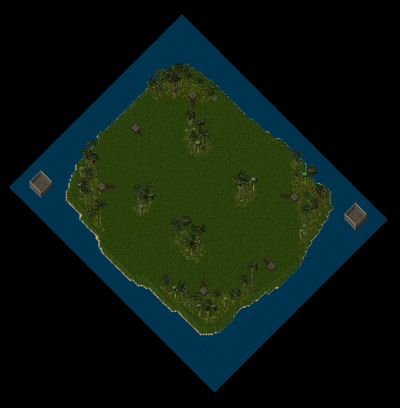 Tropical |
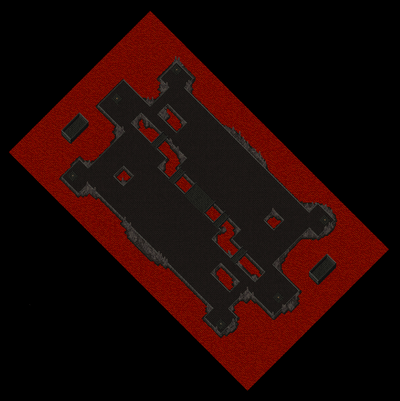 Hellscape |
Proving Grounds Stone
- To participate in Proving Grounds, players must visit the Arena and use the Proving Grounds Lobby Stone to access the Lobby Menu
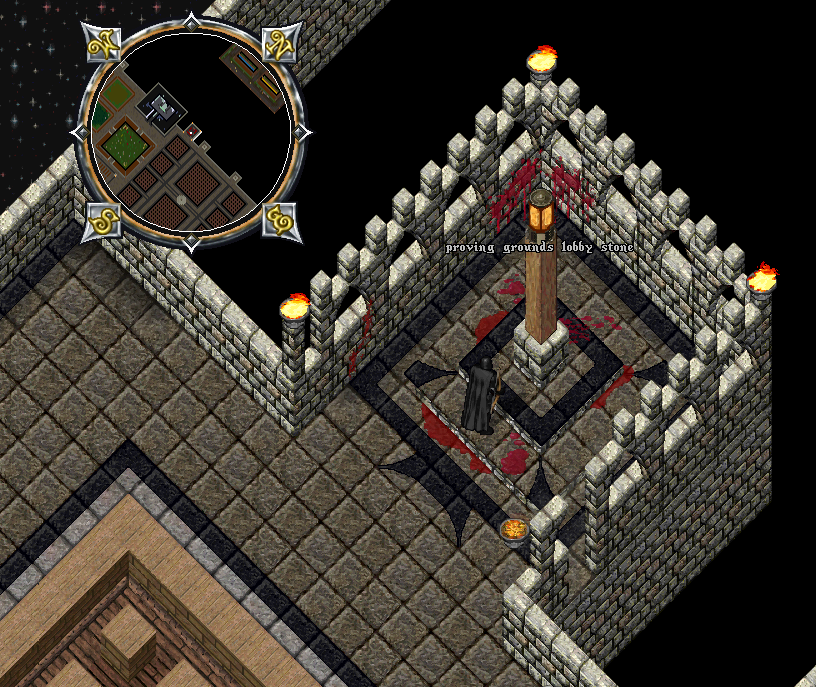
Proving Grounds Lobby Menu
- The Proving Grounds Lobby Menu functions similarly to the Arena Stone where players can join Teams and create Matches
- Players can create a Proving Grounds Match by clicking the "Create Match" button at the top of the menu
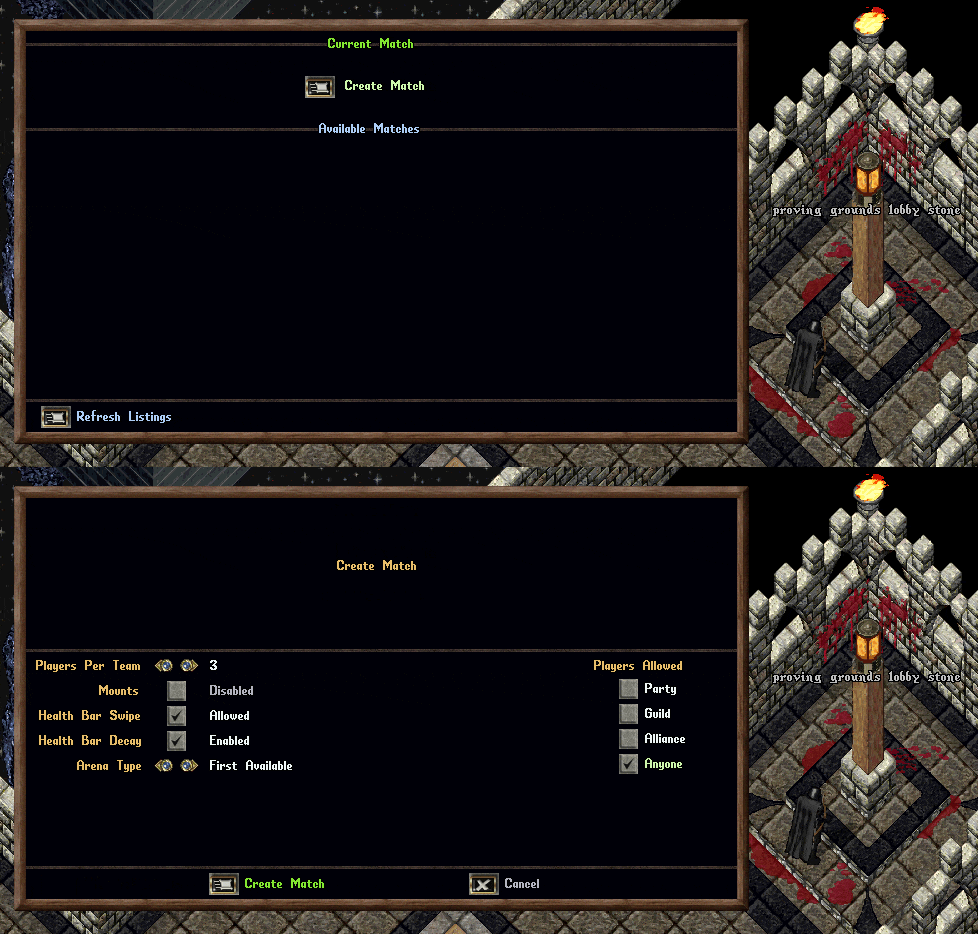
Players can configure the following settings for a Proving Grounds Match:
| Proving Grounds Settings | |
|---|---|
| Players Per Team | 3, 4, or 5 Players |
| Mounts | Allowed or Disabled |
| Health Bar Swipe | Allowed or Disabled |
| Heath Bar Decay | Enabled or Disabled |
| Arena Type | First Available, Hellscape, or Tropical |
| Players Allowed | Party, Guild, Alliance, or Anyone |
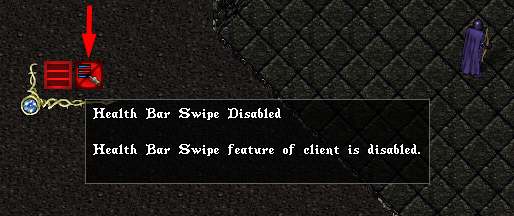
Health Bar Swipe
- If the Health Bar Swipe setting is diabled, players will not be able use the Health Bar Swipe feature of the client that allows players to instantly gather and organize multiple Health Bars
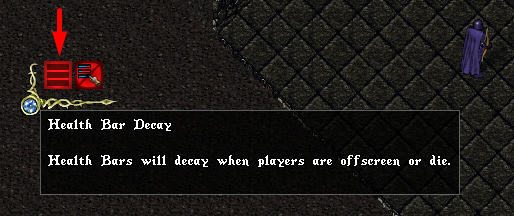
Health Bar Decay
- If the Health Bar Decay setting is enabled, any Health Bars for players will decay when players are offscreen or die
Match Listings
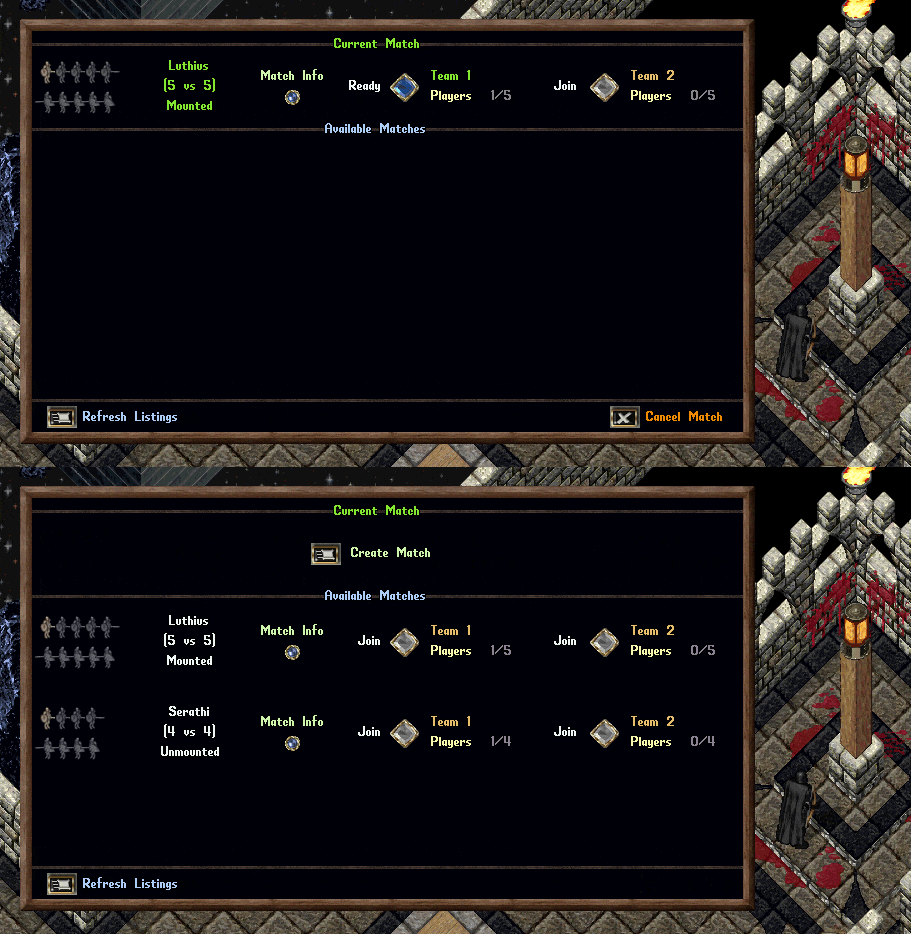
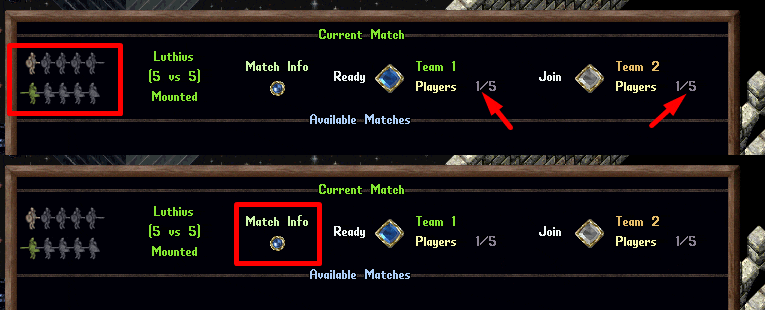
- If a player has created or joined a Match, it will always be listed at the top under the Current Match section
- Other matches available for the player to join will appear under the Available Matches section
- Note: Players must leave their existing match in order to join an Available Match
Match Players
- Players can see how many players have joined each team under the "Players" text for each team's section
- Players can see icons representing players and player slots for each team on the left side of the Match listing
- Grey icons indicate open player slots
- Tan icons indicate joined players who are not yet marked as "Ready" to fight
- Green icons indicate players who are "Ready" to fight
- Matches will only start if all teams are full of players and each player is marked as "Ready" using the Ready button in the match listing
- Players can click the "Match Info" button for any Match to view more information about it, including Players and Settings
Match Info Page
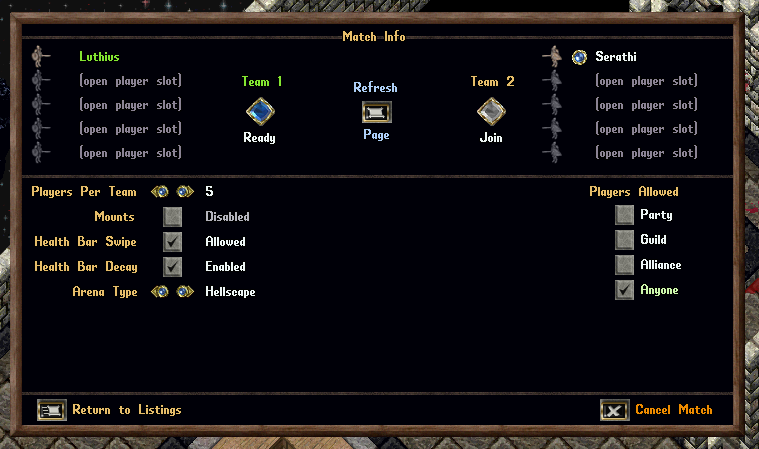
- The Match Info page shows detailed info about the match include all participating Players and Settings
- The Creator of the match can kick players from the match by clicking the Orb button next to the player's name
- The Creator of the match can change Settings for the match, but doing so will notify all players and remove their "Ready" status
Match Start
A Proving Grounds Match will start if all of the following are true:
- Each team is completely full of players and each player has clicked the "Ready" button
- Each player is within 10 tiles of the Proving Grounds Lobby Stone in the arena
- Each player has no Followers active
Combat Mechanics
- All PvM Mechanics for players (Aspects, Mastery Chains, Codexes, Redline Upgrades, etc) are disabled
- All items and equipment for players are treated as Blessed
- Similar to our PvP Events, all equipment worn by players will automatically "downgrade" and resolve as non-Colored GM quality for balancing purposes
- Similar to our PvP Events, consumable items for players (Reagents, Bandages, Potions, Arrows) will not be consumed within the Proving Grounds
- Scripts are disabled for Proving Grounds
Mana Nodes
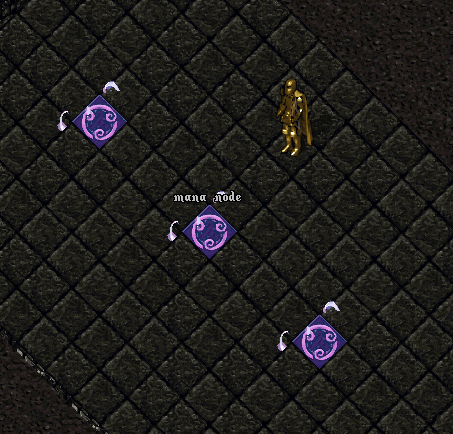
- Mana Node tiles can be found in the center of each match region
- If a player enters Active Meditation within 3 tiles of a Mana Node, they will recover an additional Mana per meditation tick while stationary
Death
- If a player dies during the Proving Grounds they will resurrected and warped to a Holding Cell for their team
- Once 20 seconds have passed since their death, they may use a Respawn Stone and select one of six Respawn Locations
- Players who respawn will be at full Health, Stamina, and Mana
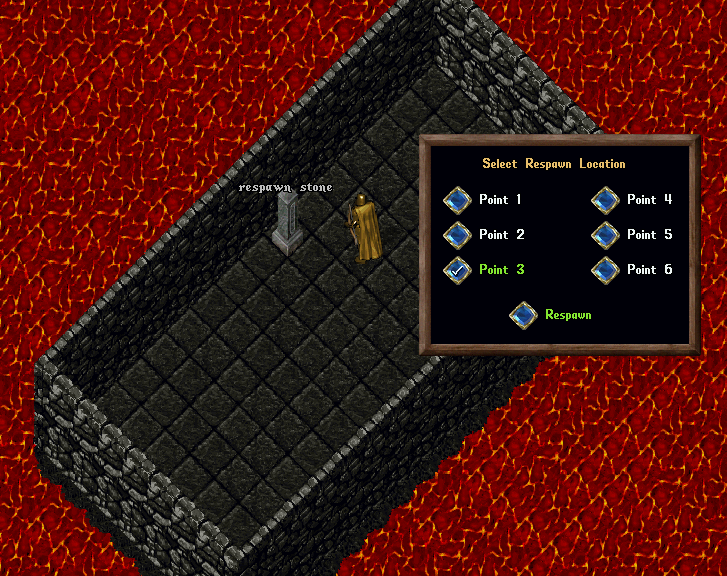
- Each Respawn point within a Proving Grounds match will be marked with a numbered tile corresponding to its button in the Respawn menu

[Concede
- Players can type [Concede anywhere within the Proving Grounds to also exit the match premptively and return to the Arena
- Players who concede a Proving Grounds Match cannot return to the match
- Players who have conceded a Proving Grounds match will not be able to join another match until the match they left has ended
Match Duration
Matches will end if any of the following occur:
- All members of a team are in the Holding Cell, have Conceded, or are no longer Online or in the Region
- 15 minutes have passed since the start of the match
Time Remaining Messages
Players will receive a system message informing them when Time Remaining in the match reaches the following:
- 10 Minutes
- 5 Minutes
- 4 Minutes
- 3 Minutes
- 2 Minutes
- 1 Minutes
Match Resolution
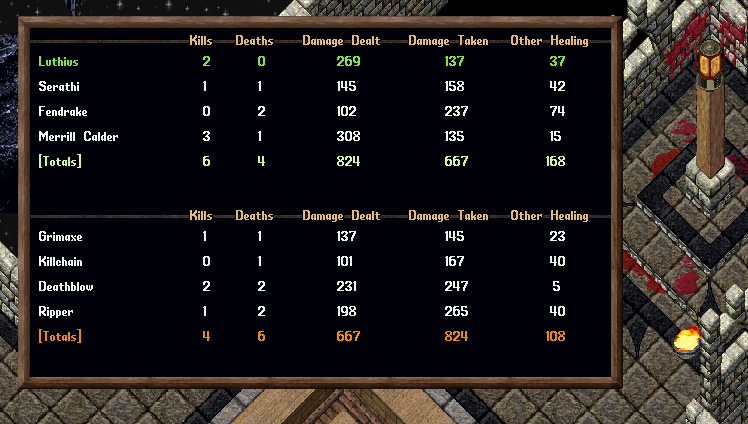
- Upon completion of a Match players will be warped back to the Arena and will see a Fight Report Menu
- The Fight Report Menu will show stats of the fight including with Kills, Deaths, Damage Dealt, Damage Taken, and Other Healing