Garden Shelf: Difference between revisions
Jump to navigation
Jump to search
(Created page with "==Summary== * Players can now purchase a Garden Shelf from the Prevalia Market under the Plants category * Garden Shelves can be dyed with Furniture Dye * Garden Shelv...") |
(Added garden shelf restyle section) |
||
| (6 intermediate revisions by 2 users not shown) | |||
| Line 1: | Line 1: | ||
[[Category:Plants]][[Category:Crafting]][[Category:QoL]] | |||
==Summary== | ==Summary== | ||
* Players can | * Players can purchase a Garden Shelf from the [[Prevalia Market]] under the Plants category | ||
* Garden Shelves can be dyed with [[Furniture Dye]] | * Garden Shelves can be dyed with [[Furniture Dye]] | ||
* Owners and Co-Owners can use the shift-click Restyle option on the context menu | |||
* Garden Shelves must be locked down in a house in order to use them, and can only be used by Owners and Co-Owners of that house | * Garden Shelves must be locked down in a house in order to use them, and can only be used by Owners and Co-Owners of that house | ||
* Garden Shelves do not count as containers, and double-clicking them (while locked down in a house) will open the Garden Shelf Menu | * Garden Shelves do not count as containers, and double-clicking them (while locked down in a house) will open the Garden Shelf Menu | ||
[[File:gardenshelfgump1.jpg|link=]] | [[File:gardenshelfgump1.jpg|link=]] | ||
==Stocking the Garden Shelf== | ==Stocking the Garden Shelf== | ||
| Line 13: | Line 13: | ||
* Click the "Add Items" blue button in the bottom left corner of the Garden Shelf Menu, which will give the player the ability to add a specific item to the Garden Shelf or | * Click the "Add Items" blue button in the bottom left corner of the Garden Shelf Menu, which will give the player the ability to add a specific item to the Garden Shelf or | ||
* Target the player themselves and add all valid items in their backpack into the Garden Shelf at once | * Target the player themselves and add all valid items in their backpack into the Garden Shelf at once | ||
* Single-click "Restock" context-menu | |||
[[File:gardenshelfgump2.jpg|link=]] | [[File:gardenshelfgump2.jpg|link=]] | ||
| Line 44: | Line 45: | ||
[[File:gardenshelfgump6.jpg|link=]] | [[File:gardenshelfgump6.jpg|link=]] | ||
==Garden Shelf Restyling== | |||
* Garden Shelves will come with a default wooden color, and a dyeable option that starts with hue 0 | |||
* Players using a Storage Shelf Restyle Deed on a Storage Shelf will now permanently unlock that Style for the Storage Shelf | |||
* Garden Shelves can have unlocked Styles that players can switch between via the context menu by shift clicking on the shelf and selecting Restyle | |||
* Players using a [[Dyes|Furniture Dye]] on a Garden Shelf will permanently unlock the color for the dyed restyle option | |||
* Players may select the Hue option via the context menu to cycle through unlocked hues | |||
* If players use the Rotate feature of an [[Interior Decorator]] on a Storage Shelf, it will cycle through the unlocked Styles for that Garden Shelf | |||
===Storage Shelf Styles=== | |||
{{GardenShelfRestyles}} | |||
Latest revision as of 03:49, 13 June 2026
Summary
- Players can purchase a Garden Shelf from the Prevalia Market under the Plants category
- Garden Shelves can be dyed with Furniture Dye
- Owners and Co-Owners can use the shift-click Restyle option on the context menu
- Garden Shelves must be locked down in a house in order to use them, and can only be used by Owners and Co-Owners of that house
- Garden Shelves do not count as containers, and double-clicking them (while locked down in a house) will open the Garden Shelf Menu
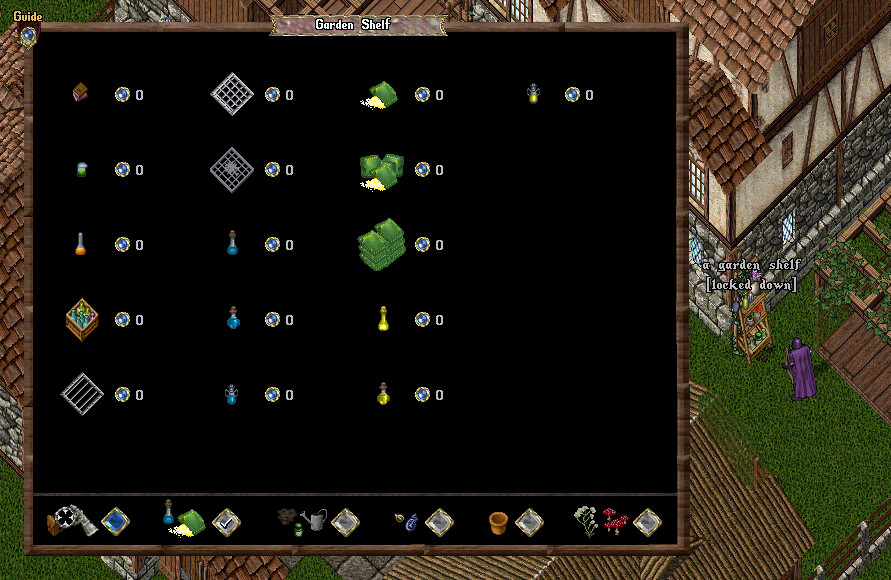
Stocking the Garden Shelf
To stock the Garden Shelf, players can:
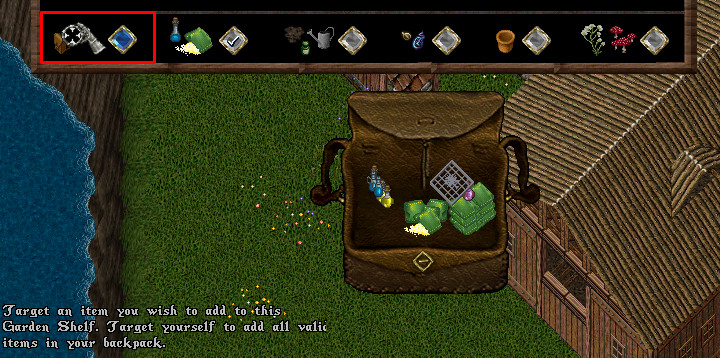
- Click the "Add Items" blue button in the bottom left corner of the Garden Shelf Menu, which will give the player the ability to add a specific item to the Garden Shelf or
- Target the player themselves and add all valid items in their backpack into the Garden Shelf at once
- Single-click "Restock" context-menu
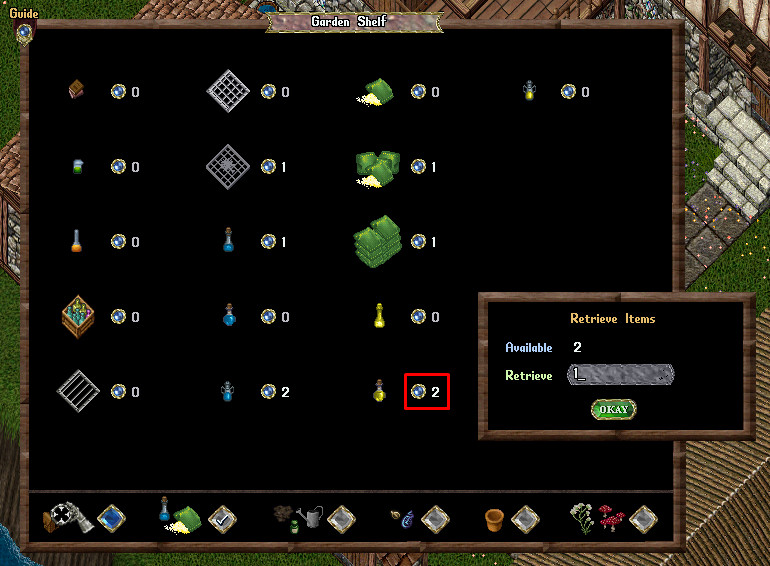
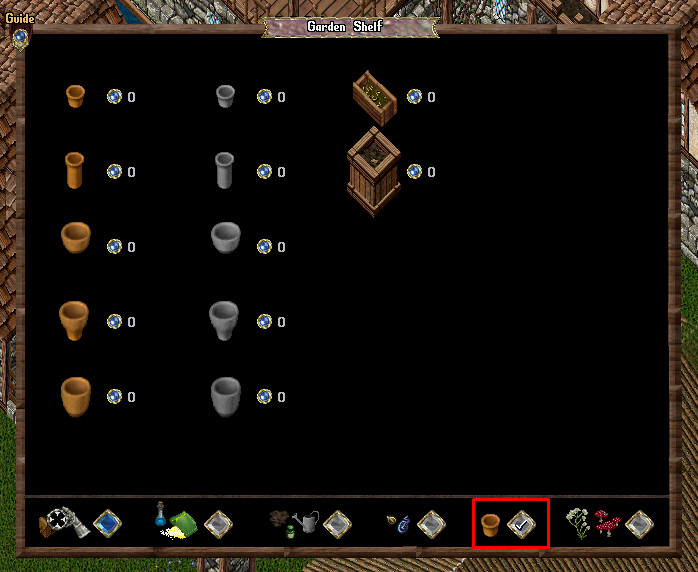
The number next to each item shows how many of that item are stored in the shelf currently
- If an item has 1 stored in the Garden Shelf, clicking the orb button next to it will retrieve the item and place it in their backpack
- If an item has 2 or more stored in the Garden Shelf, clicking the orb button next to it will bring up a prompt to select how many to retrieve
- Players can store Water Containers in a Garden Shelf, but doing so will empty them of any water they currently were storing
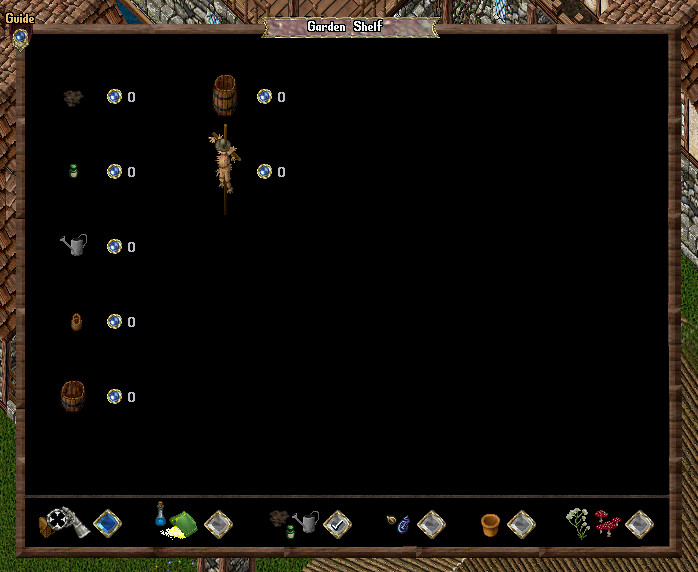
- Players can store Plant Bowls in a Garden Shelf, but may only add Plant Bowls that currently do not have any plants in them and do not have any Negative Growth Effects still active in the Plant Bowl
- Adding a Plant Bowl to the Garden Shelf will also clear out any Positive Growth Effects (such as Growth Serum) that were still active in them
Plants Category
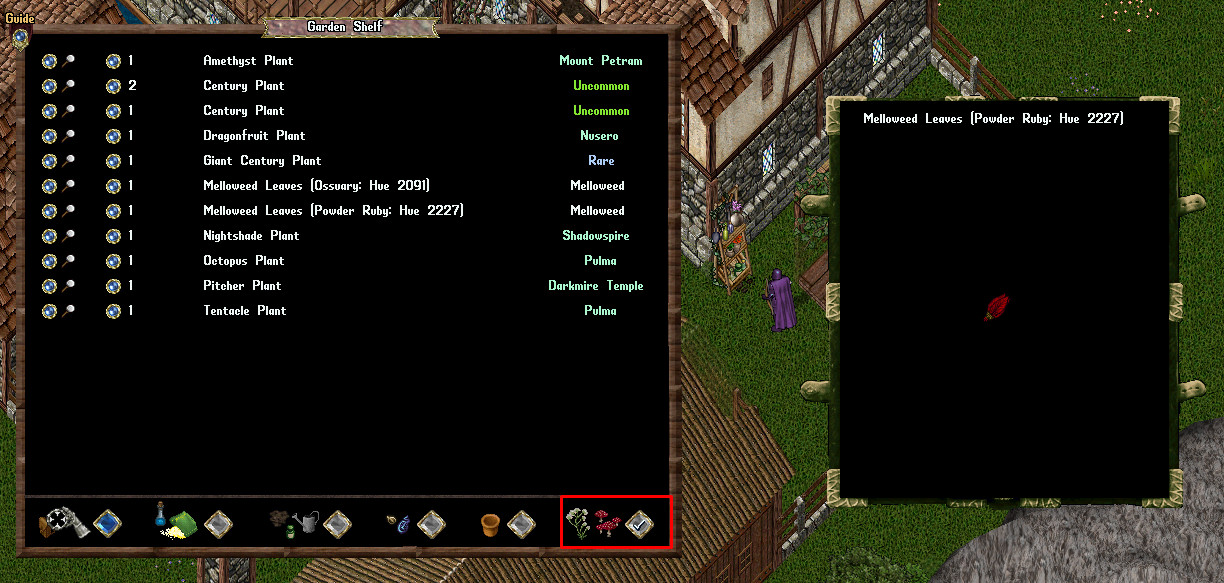
- In the Plants category, players can see all Plants that they have added to the Garden Shelf, which are organized alphabetically
- The rarity category of a plant is displayed on the right side of the menu
- Players can retrieve Plants by clicking the orb button with a number text to it in a similar fashion as described above
- Clicking the Magnifying Glass button next to each plant will launch a Preview Window to see what the plant looks like
Garden Shelf Restyling
- Garden Shelves will come with a default wooden color, and a dyeable option that starts with hue 0
- Players using a Storage Shelf Restyle Deed on a Storage Shelf will now permanently unlock that Style for the Storage Shelf
- Garden Shelves can have unlocked Styles that players can switch between via the context menu by shift clicking on the shelf and selecting Restyle
- Players using a Furniture Dye on a Garden Shelf will permanently unlock the color for the dyed restyle option
- Players may select the Hue option via the context menu to cycle through unlocked hues
- If players use the Rotate feature of an Interior Decorator on a Storage Shelf, it will cycle through the unlocked Styles for that Garden Shelf
Storage Shelf Styles
 Garden Shelf Restyle Deeds | |||||
|---|---|---|---|---|---|
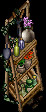
 Golden Glass Garden Shelf Restyle Deed |
 Barrel Garden Shelf Restyle Deed | ||||